Background

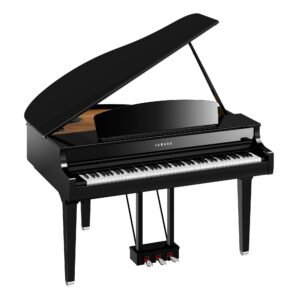
How to use the repeat mode on your Yamaha CLP 795gp

Welcome to Miller Piano Specialists. New, Used & Consignment Pianos. Expert Piano Service, Repair & Refinishing. Family Owned & Local!

Notice: Effective April 1, 2024, Miller Piano Specialists is not an authorized Yamaha Piano dealer and will no longer carry new Yamaha Pianos. For more information, please visit this FAQ. This page remains for customer service, support and archival purposes.

Final Week: 18 Months Same as Cash

Bring your piano home with special financing on qualifying new and used pianos. Offer ends September 30.

10% down payment required. Same as cash is interest free if paid in full within promotional period. Monthly payments of $30.43 per $1,000 at 19.99% APR for 48 months. Rates and terms may vary. All loans are subject to credit review, underwriting guidelines, verification of identity and approval. Offer ends September 30, 2026.

HOW TO SET THE REPEAT ON YOUR CLP 795GP

1. Go to the top left of your panel screen and tap the three lines (I call the hamburger!) on the far left.
2. Arrow down until you see “Song” at the top of your display screen.
3. Your screen will say off, single, all
4. Arrow down 3 times to all, arrow to the right and it will be checked.
5. Now you are on repeating all songs, either built in music or songs from your usb.
6. Now continue by hitting song/demo and arrow down to user (songs by you) or usb (songs on your usb) or demo (built in songs.
**Have fun!


FINAL WEEK • ENDS SEPTEMBER 30

18 Months Same as Cash

Bring your piano home with special financing on qualifying new and used pianos. Offer ends September 30.

10% down payment required. Same as cash is interest free if paid in full within promotional period. Monthly payments of $30.43 per $1,000 at 19.99% APR for 48 months. Rates and terms may vary. All loans are subject to credit review, underwriting guidelines, verification of identity and approval. Offer ends September 30, 2026.

© 2026 Miller Piano Specialists
Privacy Policy
[hcaptcha]